> For the complete documentation index, see [llms.txt](https://help.spicegems.com/llms.txt). Markdown versions of documentation pages are available by appending `.md` to page URLs; this page is available as [Markdown](https://help.spicegems.com/new-easy-product-addons/group-section-addons/variant-specific-addons.md).
# Variant Specific Addons
You can display **different addons** based on the selection of different master product variants.
**Example:**\
If you sell shirts in different colors, you can configure unique add-on combinations (like matching pants, caps, or accessories) for each shirt color. Customers can then add these outfits to their cart together.
⚠️ **Important:** This functionality works **only** for the **Group Addons** feature.
***
For configuration, please check the step-by-step guide for reference.
### Step 1: Create Addon Catalog
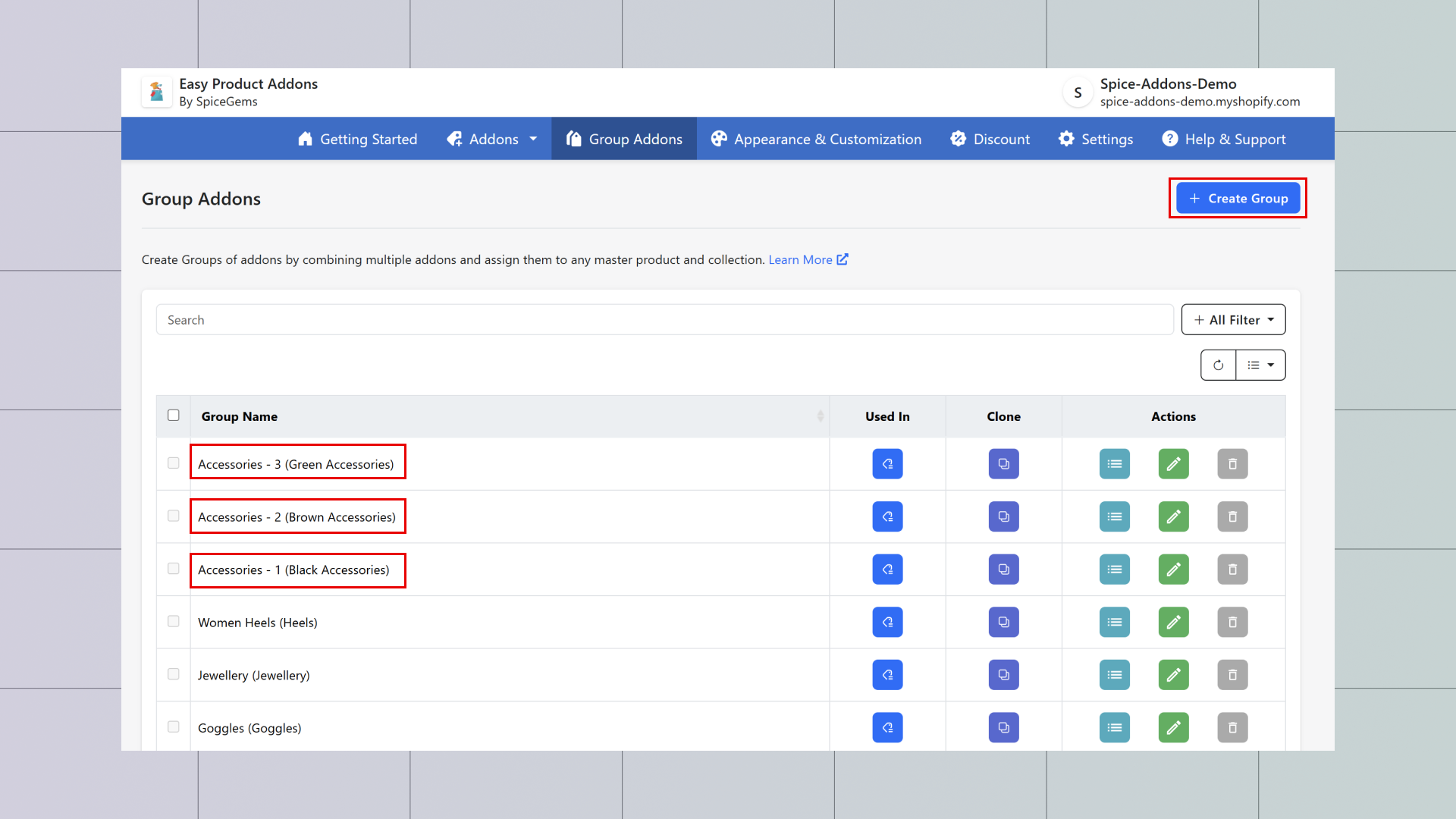
To use this feature, you first need to create **Addon Catalog** (add-ons displayed in categories).
* [Check this guide on how to create Addon Catalog](/new-easy-product-addons/group-section-addons/create-addon-catalog.md)
### Step 2: Create Group Addons
Next, Create the Group Addons and assign the addon catalog.
* Example: We assigned **Addon Catalog** with the product *T-Shirt – Colors*.
* [Check this guide on how to assign the Group addons](/new-easy-product-addons/group-section-addons/create-group-section-addon.md)
{% embed url="" %}
### Step 3: Create Display Rules
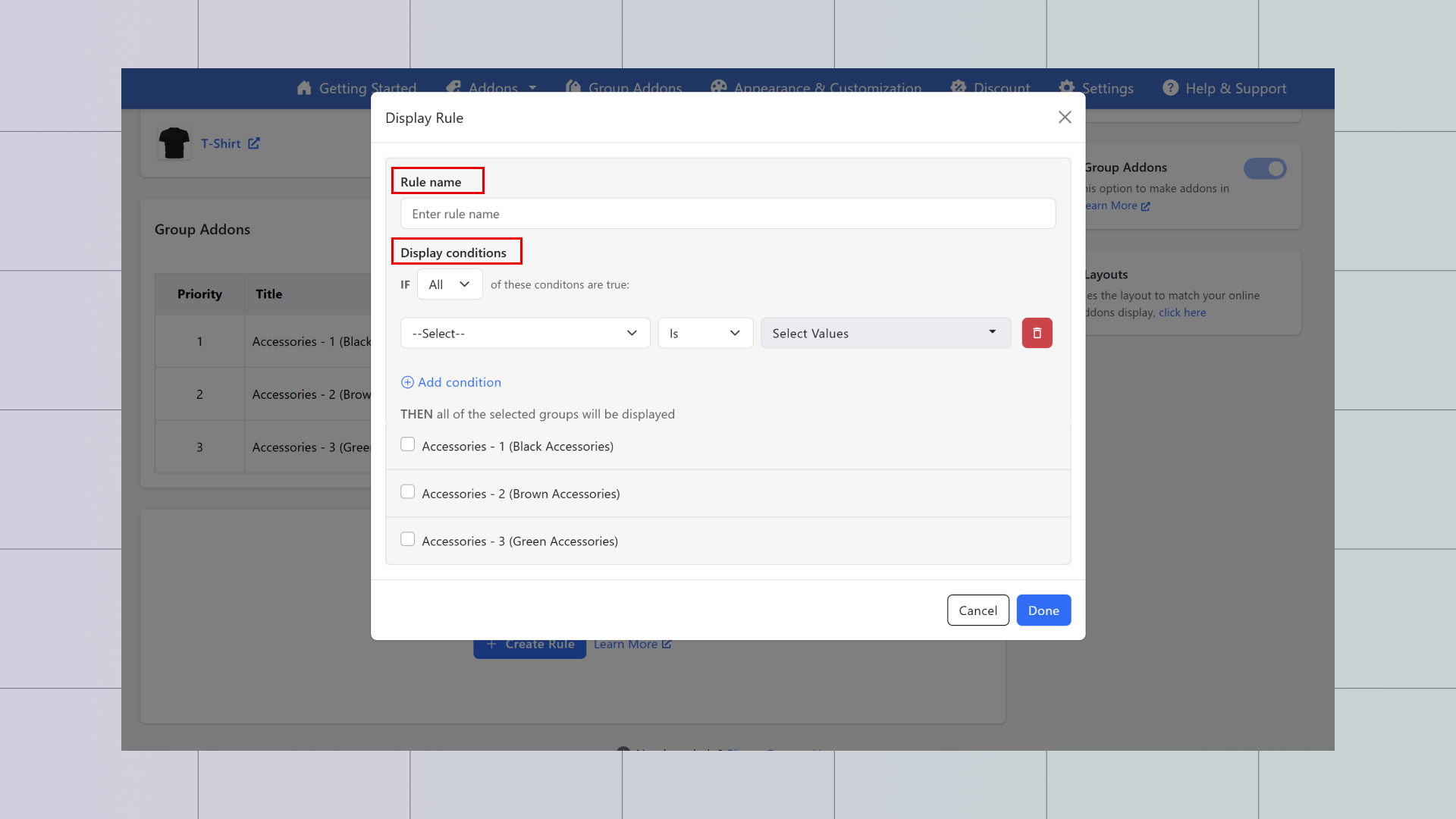
When you creating the Group Addons you’ll see the option to **Group Display Rule**.
* Click **Create Rule** → A Tab will appear.
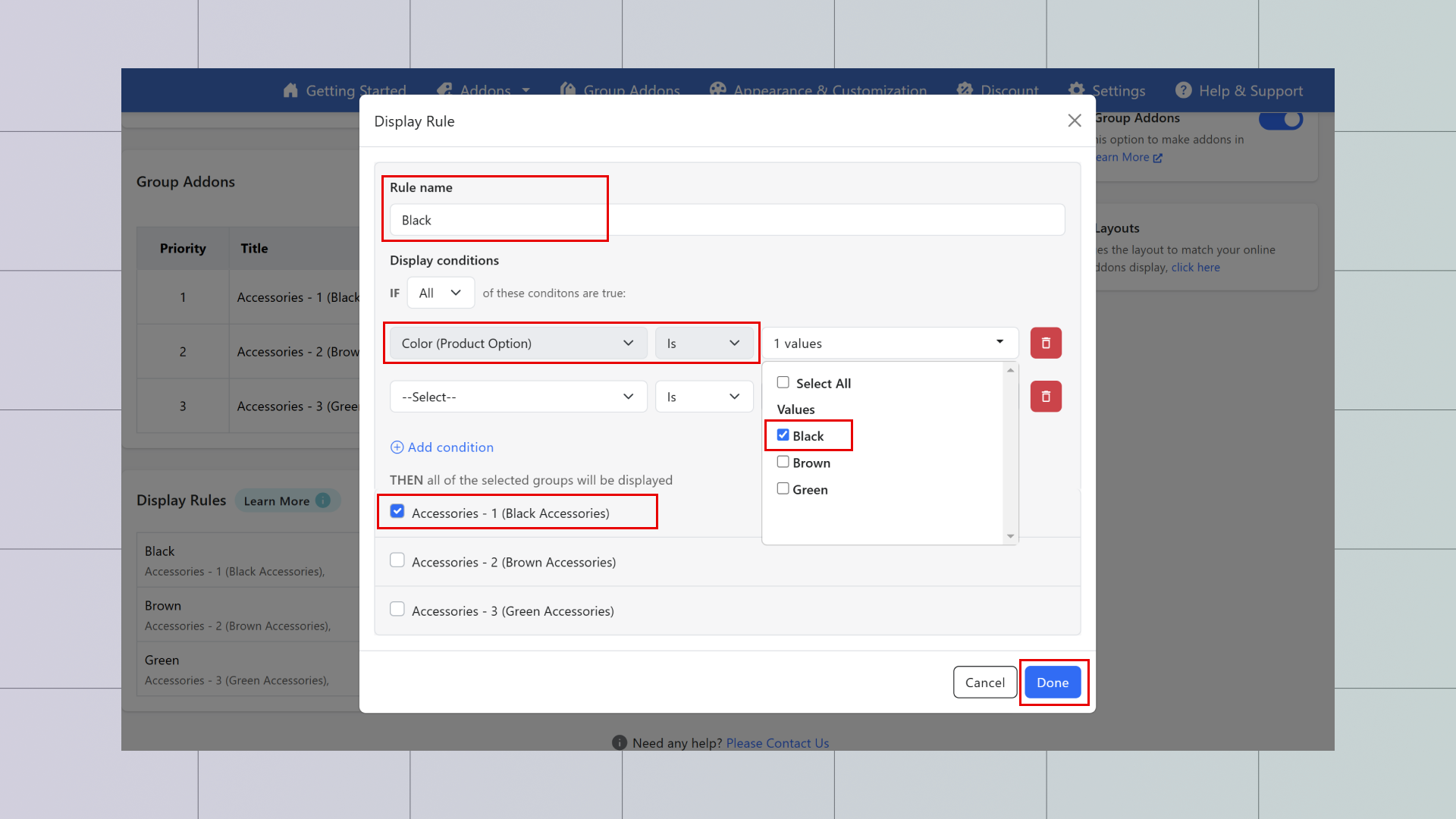
1. Select a **Display Condition** (you will see master product options such as color, fabric, etc.).
* Example: Select **Color**.
3. Choose a **Value** (a specific variant of the product, e.g., *Red*).
4. Select the **required addon group** for that variant.
5. Click **Save** to save the rule.
### Step 4: Finalize Configuration
* The configuration is now complete in the app.
* Variant-specific add-ons will display based on the product variant selected.
***
### Resources
* Live demo: [**https://spice-addons-demo.myshopify.com/products/t-shirt**](https://spice-addons-demo.myshopify.com/products/t-shirt)
* **Video Guide:** Detailed instructions on configuring variant-specific add-ons.
{% embed url="" %}