> For the complete documentation index, see [llms.txt](https://help.spicegems.com/llms.txt). Markdown versions of documentation pages are available by appending `.md` to page URLs; this page is available as [Markdown](https://help.spicegems.com/geoip-country-redirect/general-faqs/how-to-cancel-app-subscription.md).
# How to cancel App Subscription?
To cancel your app subscription, you need to uninstall the app from your Shopify store.
You can uninstall the app in two ways:
### Process: 1 From the app
* Go to **Shopify Admin → Apps**.
* Open the **GeoIP Country Redirect App**.
* Click the **⋯ (three-dot) in the app header**.
* Select **Uninstall**.
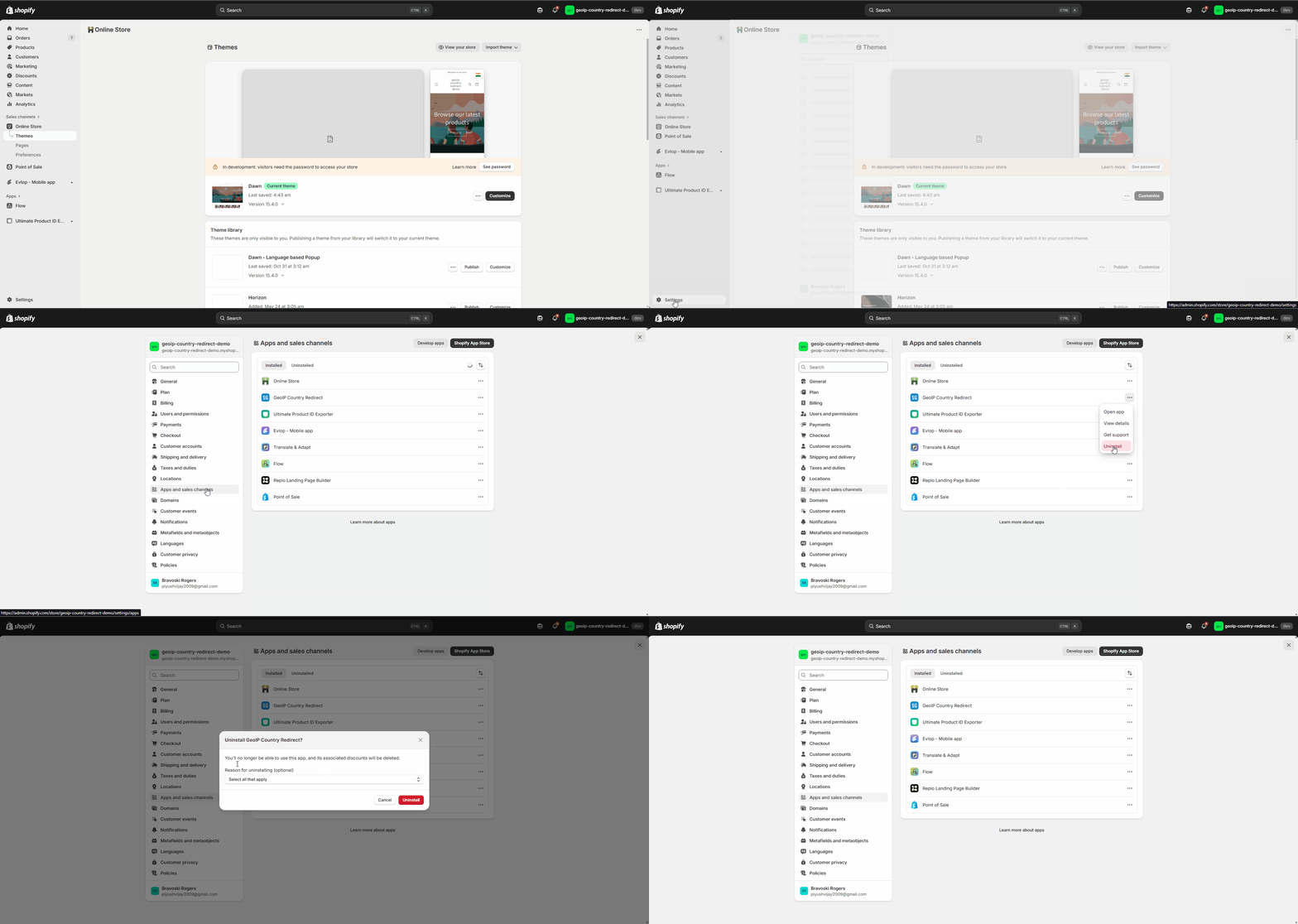
### Process: 2 From the Shopify Admin
* Go to **Shopify Admin → Settings → Apps**.
* Find the **GeoIP Country Redirect App**.
* Click the **⋯ (three-dot) menu** next to the app.
* Select **Uninstall**.